![CPLogoRedNewWithDT (1).png]](https://knowledge.duramaxtuner.com/hs-fs/hubfs/CPLogoRedNewWithDT%20(1).png?height=40&name=CPLogoRedNewWithDT%20(1).png)
In order to get the tuning installed on your Powerstroke please follow the instructions below. If you have any questions at all on the install or profiles then please submit a ticket below or give us a call.
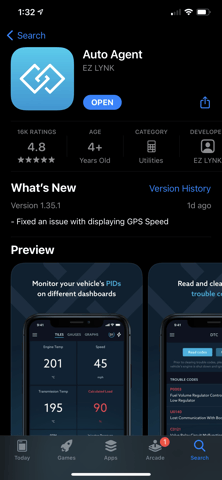
1. Download the Auto Agent App onto your Smartphone or Tablet from your IOS or Android Store.
2. Create an account using your email address.
3. Log into your email and confirm the account setup.
4. Plug the Auto Agent into your OBDII port.
5. Turn the key to the RUN position, engine not running.
6. Once the light on the Auto Agent Turns Blue, go into your WI-FI settings and select the EZLYNK WI_FI connection. Once connected it will say Connected without Internet. This is Normal.
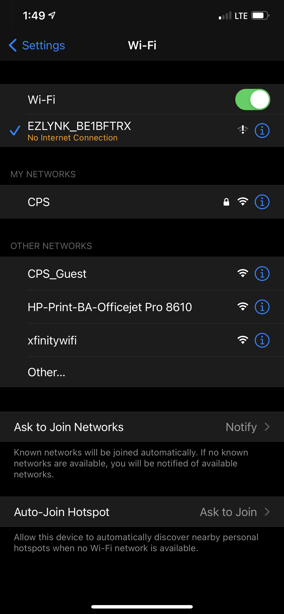
7. Return to the Auto Agent App.
8. Hit the three dashes in the upper left corner to go to the main menu.
9. Select Vehicle.
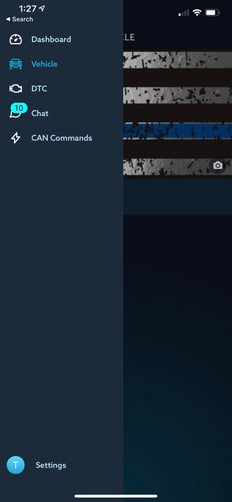
10. It should ask you to link to Duramaxtuner.com, after you do that select "ECU Profiles".
-jpg.jpeg?width=250&height=414&name=Home%20screen%20shrunk_LI%20(2)-jpg.jpeg)
11. Select the ECU Profile that matches your truck's setup. (We recommend the street tune or a SOTF tune to start with for the ECM. For the TCM tuning if you bought it we recommend the mild shift tune to start with)
**choose the standard output or high output folder for single tunes only. The switchable folder is where you will find the SOTF tunes if you bought a switch, choose the SO or HO SOTF files based on your truck**
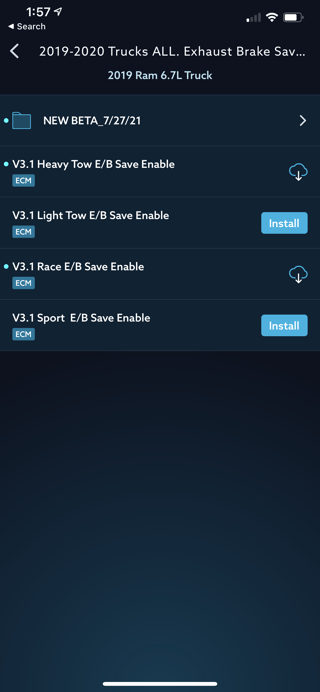
**IF YOU DO NOT SEE ANY PROFILES YOU MAY NEED TO EXIT THE APP, and Re-connect to a Internet source. This is common on tablets that do not have their own internet source and rely off the same WIFI the EZ Lynk does***
12. Follow the App's instructions to complete the flash.
13. follow prompts on screen and then you are tune with the tune installation
14. If you bought a switch then here are the steps for those (23-26 Ford Switch installation)
**If you do not see any ECU profiles then please follow our manual link instructions if you are a Calibrated Power or Duramaxtuner customer**
If you have any further questions or didn't find an answer to the question you had in this article, click here and fill out the form and one of our Remote Support experts will be in contact with you.